The most secure thing about an offline crypto wallet isn’t what it does; it’s what it refuses to do. No Wi-Fi. No background sync. No handshake with the internet.
Just your private keys living inside hardware that has never been online. In a world where everything connects, that deliberate refusal is the whole security model. First things first.
What Is an Offline Crypto Wallet?
Source: Ideogram
An offline crypto wallet, also known as a cold wallet, is a tool that stores your cryptocurrency’s private keys without any internet connection.
These wallets come in different forms — hardware devices, paper wallets, and even air-gapped computers. What they all share is a strong focus on security and control.
Read Also: Top DeFi Protocols by Category: Banking Without the Bank.
When you use the best offline crypto wallet for safe storage, you take ownership of your assets without relying on third parties like exchanges or custodial services.
Do I need an offline wallet if I only hold a small amount of crypto?
The threshold for cold storage is less about the dollar amount and more about your time horizon and risk tolerance. If you’re actively trading weekly, a cold wallet adds friction that doesn’t serve your workflow.
If you’re holding and not planning to move funds for months or years, the $49 to $169 entry cost for a reliable hardware wallet is a reasonable expense against the risk of losing the entire balance to a phishing attack or exchange breach.
At minimum: if the loss of what you’re holding would genuinely hurt you, an offline crypto wallet earns its place.
Difference Between Offline (Cold) Wallets and Online (Hot) Wallets
| Feature | Offline (Cold) Wallets | Online (Hot) Wallets |
| Internet Connection | No | Yes |
| Security Level | Very High (immune to online hacks) | Lower (vulnerable to hacking and phishing) |
| Ease of Access | Lower (manual connection needed) | High (instant access) |
| Best For | Long-term storage, large amounts | Daily transactions, small amounts |
| Common Types | Hardware wallets, paper wallets, and air-gapped devices | Mobile apps, desktop wallets, and exchange wallets |
| Risk of Theft | Very Low | Higher |
| Setup Complexity | Moderate (hardware setup, key management) | Simple (app download, quick setup) |
Best Offline Crypto Wallets
| Wallet | Cost | Screen | Air-gapped | Coins | Standout Feature |
|---|---|---|---|---|---|
| Ledger Nano X | Paid | No | No | 500–5,000+ | Bluetooth, NFT support |
| Ledger Stax | Paid | Yes (E Ink) | No | 500–5,000+ | Qi charging, NFC |
| Ledger Flex | Paid | Yes (E Ink) | No | 500–5,000+ | Gorilla Glass, lightweight |
| Trezor Safe 5 | Paid | Yes | No | 1,000+ | Multi-share backup |
| Trezor Safe 3 | Paid | No | No | 1,000+ | Compact, Tor support |
| Trezor Model One | Paid | No | No | Limited | Budget pick |
| Trezor Model T | Paid | Yes | No | 1,000+ | Shamir backup |
| COLDCARD Mk4 | Paid | No | Yes | BTC only | PSBT, duress PINs |
| COLDCARD Q | Paid | Yes | Yes | BTC only | QR scanner, keyboard |
| ELLIPAL Titan 2.0 | Paid | Yes | Yes | 10,000+ | QR-only signing |
| ELLIPAL Titan Mini | Paid | Yes | Yes | 10,000+ | Pocket-sized |
| SafePal X | Paid | No | No | 100–10,000+ | Budget USB wallet |
| SafePal S | Paid | Yes | Yes | 100–10,000+ | QR-only signing |
| SafePal S1 Pro | Paid | Yes | Yes | 100–10,000+ | Bigger screen, battery |
| Tangem Wallet | Paid | No (card) | Yes | 6,000+ | Card format, no battery |
| Cypherock X1 | Paid | No | Yes | 9,000+ | No seed phrase, 4-card split |
| NGRAVE Zero | Paid | Yes | Yes | 3,500+ | Fingerprint, graphene backup |
Read Also: Coin Ticker: The Three Letters That Speak for a Whole Crypto Project.
Ledger Nano X – Best for Beginners
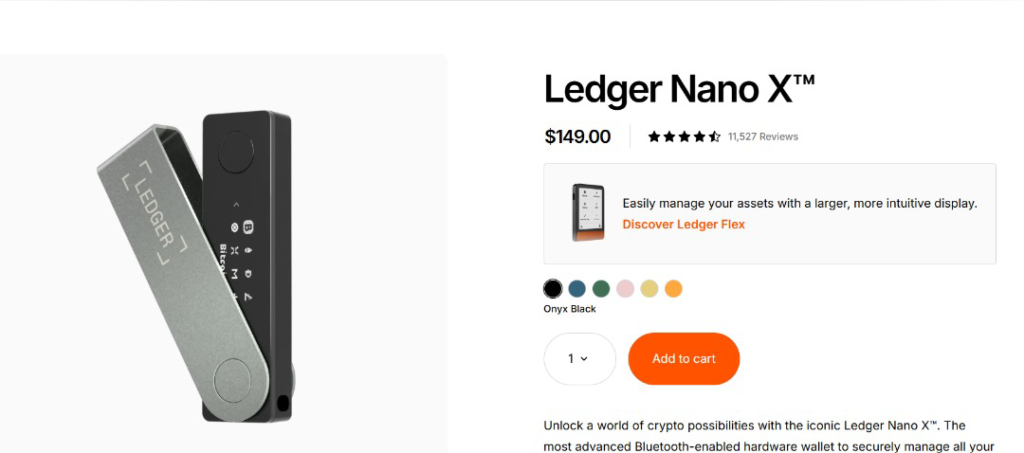
| Ledger Nano X | Details |
|---|---|
| Best For | Beginners wanting secure, portable crypto storage |
| Connectivity | Bluetooth, USB-C (desktop + mobile) |
| Coins Supported | 500+ (Ledger Live), 5,000+ (3rd-party) |
| Security | CC EAL5+ Secure Element, 24-word recovery phrase |
| Special Feature | Optional Ledger Recover service |
| Pros | Wireless mobile use, wide coin/NFT support, 50+ external wallet compatibility, durable compact build, intuitive Ledger Live app |
| Cons | No touchscreen, needs app for full token support, Bluetooth raises air-gap concerns, Ledger Recover is subscription-based |
Read Also: Top Crypto Wallet Security Best Practices
Ledger Stax – Best for Touchscreen Navigation and Daily Convenience

| Ledger Stax | Details |
|---|---|
| Best For | Touchscreen navigation and daily convenience |
| Connectivity | Bluetooth, USB-C, NFC, Qi wireless charging |
| Coins Supported | 500+ (Ledger Live), 5,000+ (3rd-party) |
| Security | CC EAL6+ Secure Element |
| Special Feature | Curved E Ink touchscreen, Ledger Magnet Shell, up to 10 hrs / ~150 transactions per charge |
| Pros | Intuitive E Ink touch display, cable-free Qi charging, wide desktop/mobile compatibility, broad coin/NFT support, durable magnet shell case |
| Cons | $399 price point, plastic back feels less premium, Ledger Recover requires a subscription |
Ledger Flex – Best for Lightweight, Portable Cold Storage
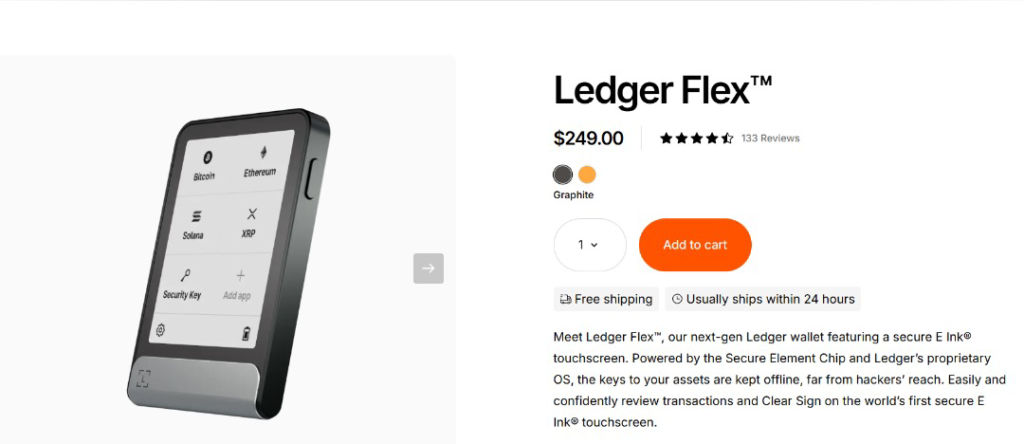
| Ledger Flex | Details |
|---|---|
| Best For | Lightweight, portable cold storage without sacrificing security |
| Connectivity | Bluetooth, USB-C, NFC |
| Coins Supported | 500+ (Ledger Live), 5,000+ (3rd-party) |
| Security | CC EAL6+ Secure Element |
| Special Feature | Gorilla Glass anti-glare touchscreen, 45g weight, up to 10 hrs / ~150 transactions per charge |
| Pros | Secure E Ink touchscreen, flexible connectivity, wide coin support, ultra-light and portable, durable glass build |
| Cons | $299 price, plastic back cover, needs separate Magnet Folio purchase, limited onboard app storage |
Trezor – Best for Open-Source Security
| Feature | Details |
|---|---|
| Wallet Type | Offline (hardware) crypto wallet |
| Security Focus | Open-source firmware, PIN protection, recovery options, and offline storage |
| Experience | Over 10 years in the crypto industry |
| Users | 2+ million users worldwide |
| Supported Assets | 1,000+ coins and tokens |
| Wallet Compatibility | Supports 30+ third-party wallet apps |
| Main Platform | Trezor Suite |
| Key Advantage | Transparent, open-source security with community oversight |
| Best For | Long-term crypto investors prioritizing security and reliability |
Some of Trezor’s wallets include:
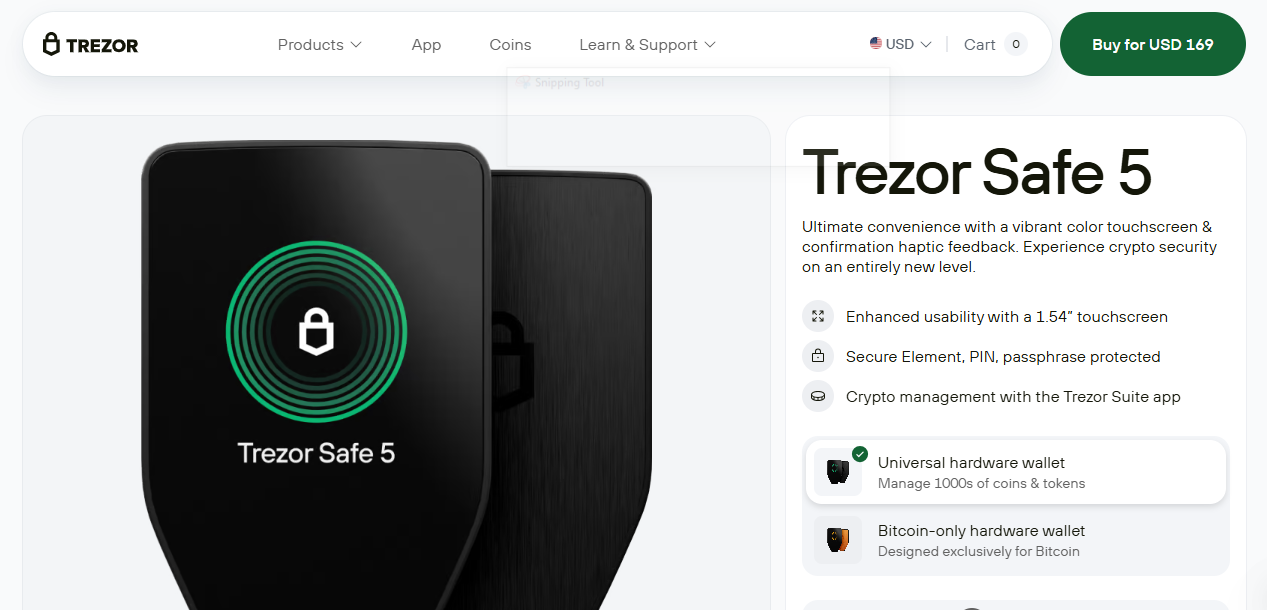
Trezor Safe 5
| Feature | Details |
|---|---|
| Wallet | Trezor Safe 5 |
| Display | 1.54″ color touchscreen |
| Security | EAL6+ Secure Element, PIN and passphrase protection |
| Backup Options | Supports 12-, 20-, and 24-word backups with Advanced Multi-share Backup |
| Build & Connectivity | Gorilla® Glass, USB-C connection, MicroSD card slot |
| Supported Assets | 1,000+ cryptocurrencies |
| Wallet Compatibility | Works with 30+ third-party wallets |
| Software Support | Integrates with Trezor Suite for asset management |
| Pros | Color touchscreen, open-source architecture, advanced backup options, strong security features |
| Cons | Higher price ($169), no Bluetooth, requires setup time |
Read Also: Multi-Signature Wallets: Enhanced Security for Crypto Storage
Trezor Safe 3
| Feature | Details |
|---|---|
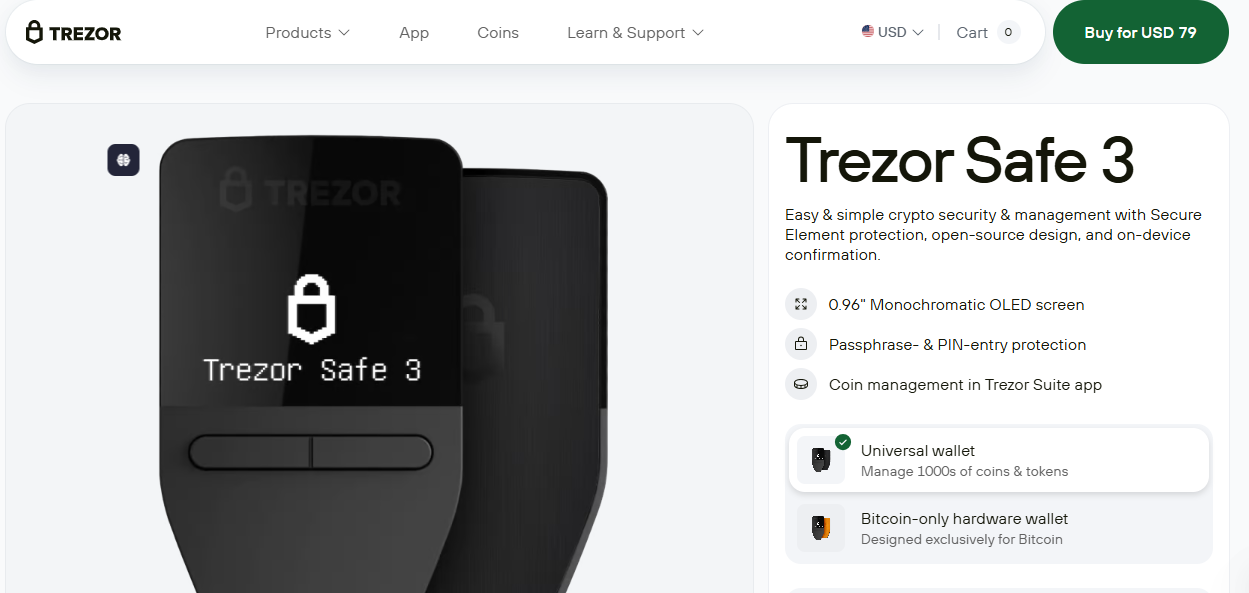
| Wallet | Trezor Safe 3 |
| Price | $79 |
| Security | EAL6+ Secure Element, on-device PIN and passphrase entry |
| Backup Options | Supports Advanced Multi-share Backup |
| Display | Compact monochrome OLED screen |
| Connectivity | USB-C |
| Supported Assets | 1,000+ coins and tokens |
| Privacy Features | Tor network (The Onion Router) support and coin control features |
| Software Support | Integrates with Trezor Suite |
| Pros | Strong security, open-source design, compact build, advanced backup options, privacy features |
| Cons | No touchscreen, no Bluetooth, smaller display, less suited for rich visual interaction |
Trezor Model One
| Feature | Details |
|---|---|
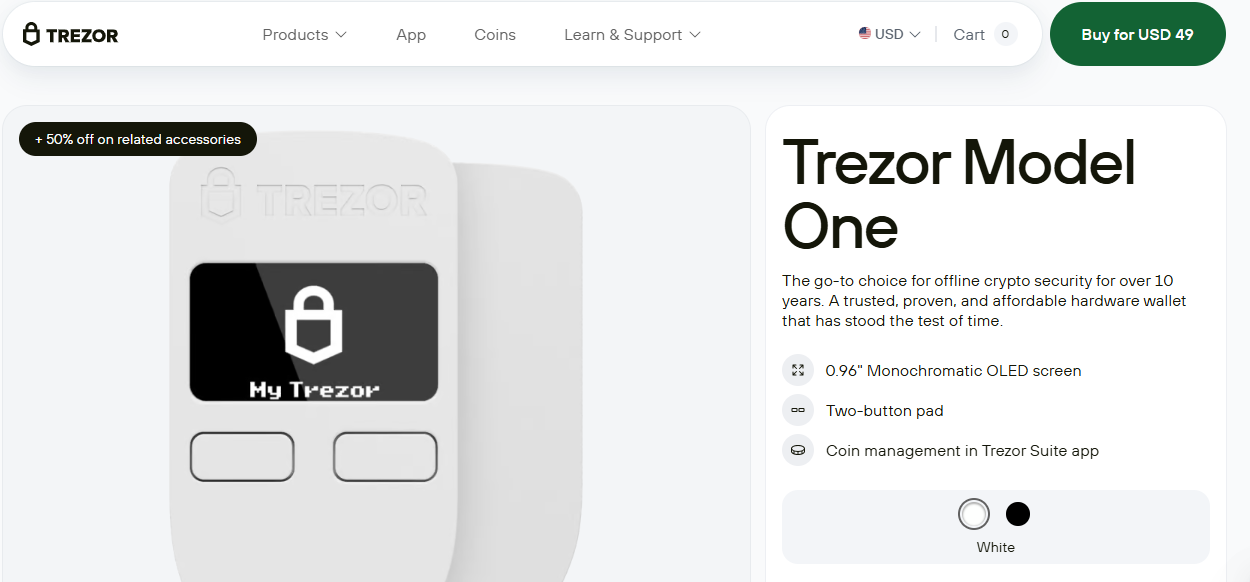
| Wallet | Trezor Model One |
| Price | $49 |
| Security | Open-source firmware, offline storage, 12- and 24-word backups |
| Display | 0.96″ monochrome screen |
| Controls | Two-button navigation |
| Connectivity | Micro USB |
| Software Support | Integrates with Trezor Suite |
| Privacy Features | Tor support and coin control |
| Pros | Affordable, trusted reputation, lightweight design, simple operation, strong privacy features |
| Cons | No touchscreen, no haptic feedback, uses Micro USB, limited coin support (e.g., XRP, ADA, XMR not supported) |
Trezor Model T
| Feature | Details |
|---|---|
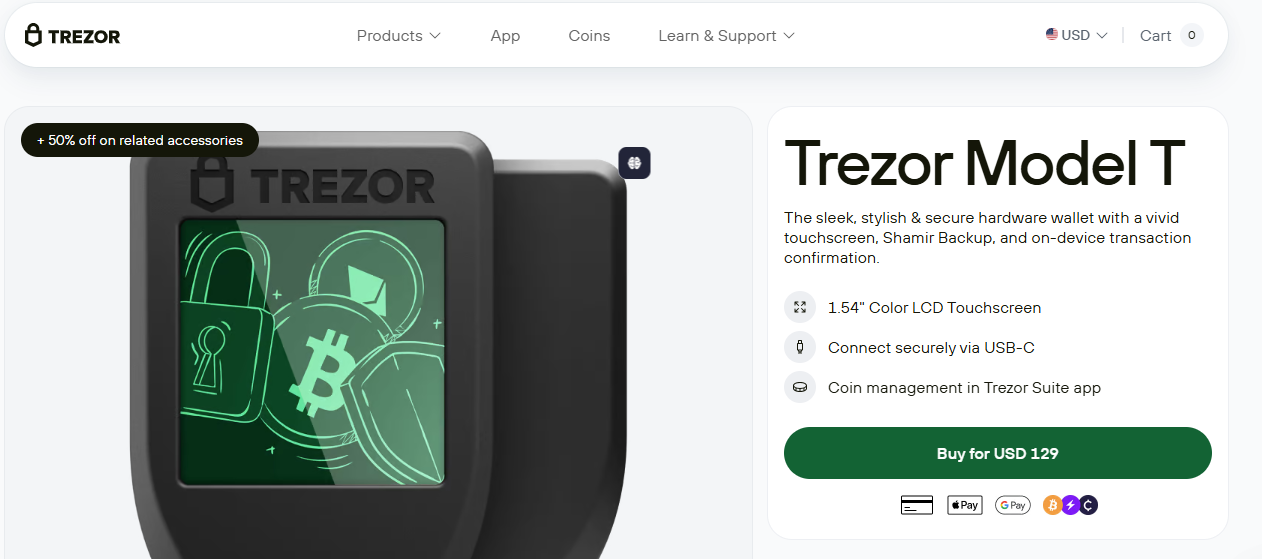
| Wallet | Trezor Model T |
| Price | $129 |
| Security | Open-source code, PIN/passphrase protection, on-device transaction confirmation |
| Backup Options | Supports Shamir Backup (SLIP39) and 12-word recovery seed |
| Display | 1.54″ full-color touchscreen |
| Connectivity | USB-C and MicroSD support |
| Supported Assets | 1,000+ cryptocurrencies |
| Key Features | Secure on-device transactions and advanced recovery options |
| Pros | Color touchscreen, strong backup features, open-source security, wide crypto support, modern connectivity |
| Cons | No Bluetooth support, less compact compared to smaller models |
COLDCARD – Best for Bitcoin Maximalists Focused on Advanced Security
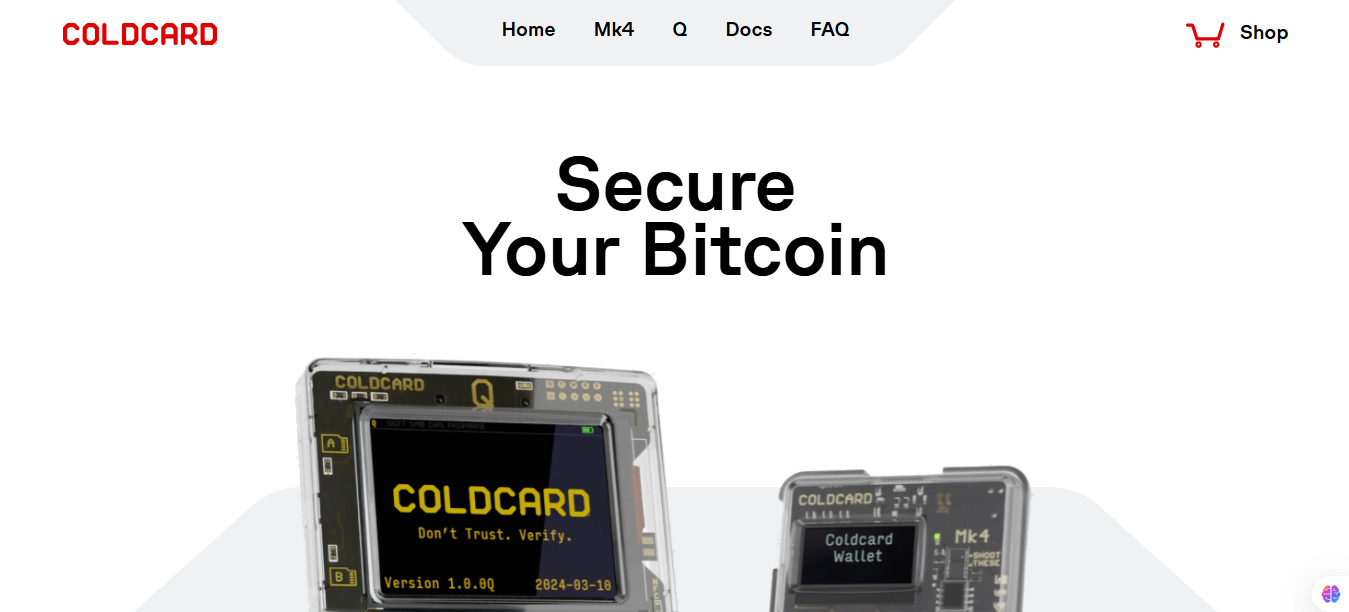
COLDCARD is also open-source and includes advanced features such as a temporary seed, seed vault, co-signing, secure notes, and duress PINs.
With robust firmware, dual secure elements, and dedicated Bitcoin-only support, it’s designed for users who view security as non-negotiable and prefer a wallet purpose-built for long-term Bitcoin storage.
Its main wallets are:
COLDCARD Mk4
| Feature | Details |
|---|---|
| Wallets | COLDCARD Mk4 / COLDCARD Q |
| Price | Mk4: $167.94Q: $239.99 |
| Security | Dual secure elements, Bitcoin-only firmware, duress PIN, anti-phishing protection |
| Display & Controls | Mk4: LCD screen with numeric keypadQ: 3.2″ LCD screen with full keyboard and QR scanner |
| Connectivity | USB-C, NFC, QR code support |
| Backup & Transactions | Supports offline transaction signing via PSBT and air-gapped workflows |
| Power Options | Q supports AAA battery operation |
| Supported Assets | Bitcoin only |
| Key Features | Fully open-source, computer-free operation, secure QR-based transactions |
| Pros | Strong security architecture, air-gapped support, open-source design, multiple transfer methods, advanced privacy features |
| Cons | Bitcoin-only support, complex interface for beginners, higher price compared to basic hardware wallets |
Ellipal Titan – Best for Full Metal Air-Gapped Storage
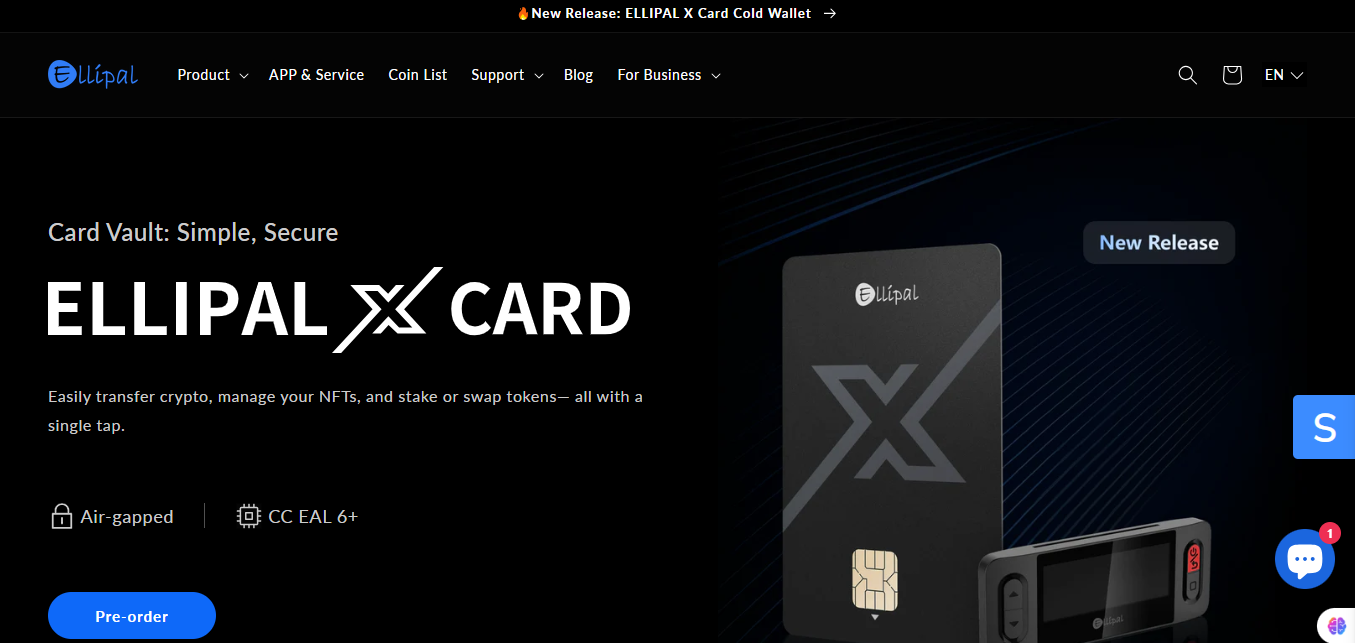
With over 7 years of proven security and more than $12 billion protected, the ELLIPAL Titan is trusted by over 1 million users.
It’s the world’s first fully air-gapped cold wallet with no Bluetooth, Wi-Fi, USB, or NFC, keeping your private keys permanently offline. Built with a durable full metal body, it resists tampering and physical damage.
| Feature | Details |
|---|---|
| Air-Gapped Security | No direct internet, USB, or Bluetooth connection |
| Transaction Method | Offline QR code signing |
| Build Quality | Full metal body for tamper resistance |
| Security Standard | CC EAL5+ certified protection |
| Main Limitation | Closed-source firmware limits public security auditing |
It’s wallets are:
ELLIPAL Titan 2.0
| Feature | Details |
|---|---|
| Price | $169 |
| Security | CC EAL5+ security, air-gapped design, tamper-resistant metal body |
| Connectivity | QR code transaction signing (no Wi-Fi, USB, or Bluetooth) |
| Supported Assets | 10,000+ coins and tokens, including NFTs |
| Display | Large touchscreen display for transaction verification |
| Key Features | Offline protection, mobile app integration, QR-based signing |
| Pros | Strong air-gapped security, durable build, large display, wide crypto support |
| Cons | Requires physical access for transactions, closed-source firmware |
ELLIPAL Titan 2.0 Bundle
| Feature | Details |
|---|---|
| Price | $199 |
| Security | 100% air-gapped operation with backup accessories |
| Supported Assets | 10,000+ coins and tokens |
| Key Features | Includes additional backup tools and storage accessories |
| Pros | Enhanced backup options, durable offline storage, supports major crypto networks |
| Cons | Higher price compared to standalone model, closed-source firmware |
ELLIPAL Titan Mini
| Feature | Details |
|---|---|
| Price | $99 |
| Security | CC EAL5+ security, fully air-gapped design |
| Connectivity | QR code signing, no Wi-Fi, USB, or Bluetooth |
| Supported Assets | 10,000+ coins and tokens |
| Key Features | Compact design, touchscreen, portable offline protection |
| Pros | Affordable, portable, strong security, wide asset support |
| Cons | Requires physical access for transactions, closed-source firmware |
ELLIPAL Titan Mini Bundle
| Feature | Details |
|---|---|
| Price | $129 |
| Security | Air-gapped protection with backup accessories |
| Supported Assets | 10,000+ coins and tokens |
| Key Features | Includes seed phrase backup tools and NFT/token management features |
| Pros | Portable, secure offline storage, useful backup options |
| Cons | Requires physical access for transactions, closed-source firmware |
SafePal – Best for Mobile-Focused Users
The SafePal wallets consist of affordable and highly secure cold storage devices designed for users who value mobile compatibility and offline protection.
With strong support for over 200 blockchains and seamless pairing with smartphones and computers, SafePal delivers practical solutions for both long-term holders and those managing crypto on the go.
The SafePal lineup includes the X1, S1, and S1 Pro, each offering varying levels of build quality, connectivity, and features.
| Feature | SafePal X1 | SafePal S1 | SafePal S1 Pro |
|---|---|---|---|
| Pricing Category | Mid-range | Budget-friendly | Premium |
| Security | CC EAL5+ chip, Bluetooth encryption | CC EAL6+ chip, air-gapped signing | CC EAL6+ chip, air-gapped signing |
| Display | 1.8″ monochrome screen | 1.3″ color screen | 1.3″ color screen |
| Connectivity | Bluetooth 5.0 | QR-based offline signing | QR-based offline signing |
| Build | ABS + PVC | ABS + PVC | Aluminum alloy + tempered glass |
| Supported Assets | 200+ blockchains, unlimited tokens | 200+ blockchains, unlimited tokens | 200+ blockchains, unlimited tokens |
| Best For | Wireless and mobile users | Affordable cold storage | Premium offline protection |
| Pros | Bluetooth support, compact design, mobile-friendly | Strong air-gapped security, affordable, simple setup | Premium durability, stronger protection, better build quality |
| Cons | Less offline-focused, monochrome display | Slower transactions due to air-gapped signing, no Bluetooth | Higher cost, no touchscreen |
Tangem Wallet – Best for Card-Style Wallets
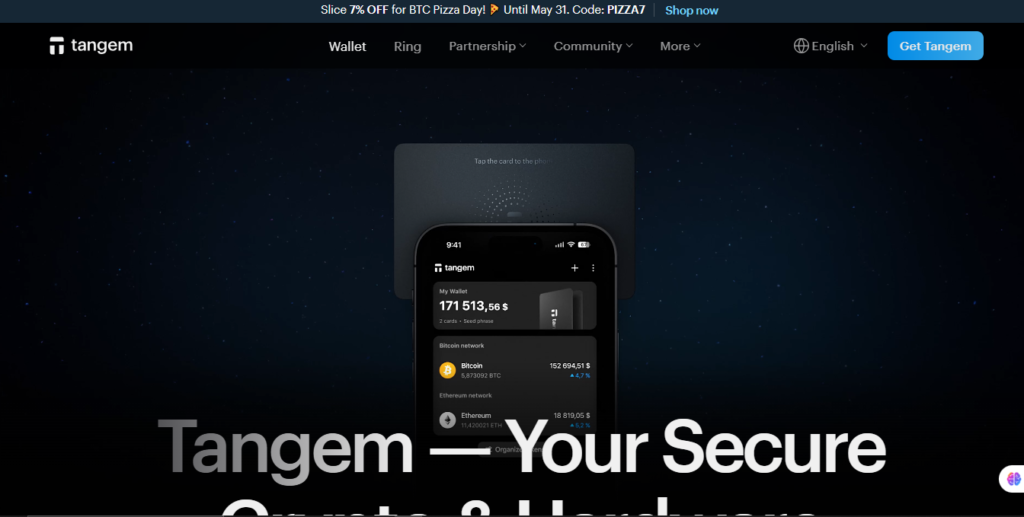
| Feature | Details |
|---|---|
| Wallet Type | Card-style hardware wallet |
| Security | EAL6+ certified chip, offline private key generation, independent security audits |
| Connectivity | NFC-based mobile access (no battery required) |
| Supported Assets | Thousands of coins and tokens |
| Backup Options | Supports multiple cards/devices with shared access |
| Key Features | Battery-free design, non-extractable private keys, 3-minute setup |
| Best For | Users seeking simple, portable, low-maintenance cold storage |
| Pros | Strong offline security, compact design, easy setup, NFC convenience, 25-year warranty |
| Cons | Requires NFC smartphone, no display, no battery, limited advanced features like multisig |
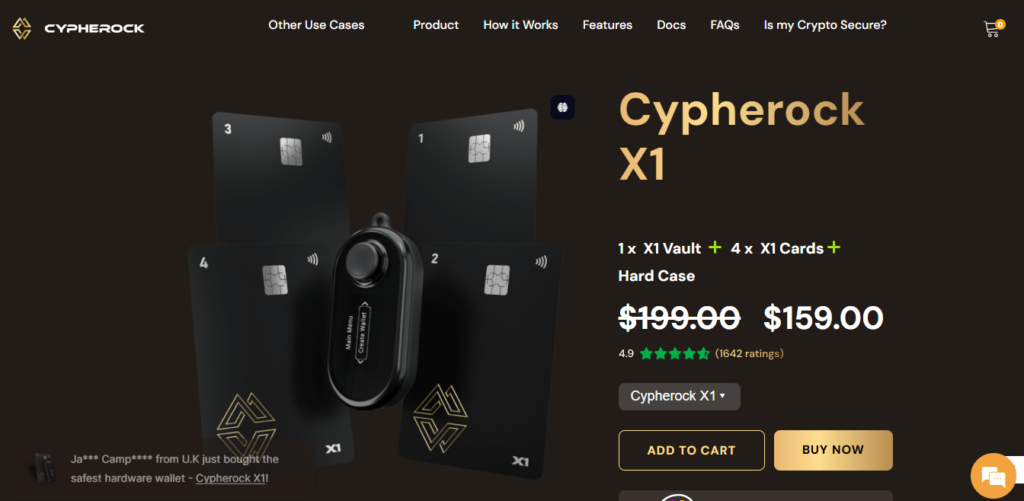
Cypherock X1 – Best for Seedless Storage
| Feature | Details |
|---|---|
| Wallet Type | Seedless hardware wallet |
| Security | CC EAL6+ secure chips, dual-chip architecture, encrypted NFC communication |
| Key Management | Splits private keys across X1 Vault and X1 Cards, eliminating seed phrase storage |
| Supported Assets | 9,000+ digital assets |
| Display & Controls | OLED display with 5-way joystick navigation |
| Connectivity | USB-C and encrypted NFC |
| Backup Options | Supports up to four X1 Cards and recovery of existing wallets |
| Best For | Users who want advanced security without traditional seed phrase backups |
| Pros | Seedless recovery, strong hardware security, wide asset support, durable design, user-friendly transaction verification |
| Cons | Multiple components to manage, setup may be complex for beginners, higher cost than basic wallets |
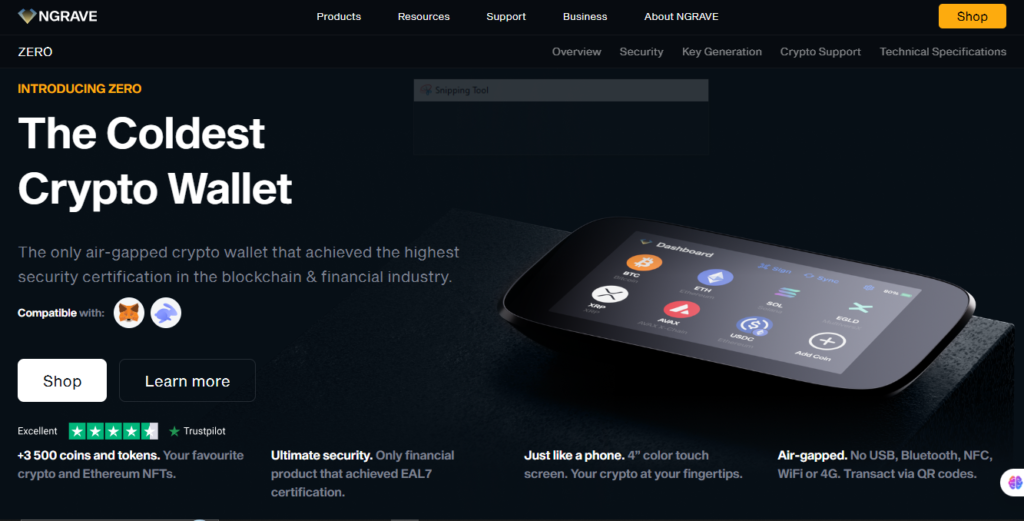
NGRAVE Zero – Best for Air-Gapped Cold Storage With Biometric Support
| Feature | Details |
|---|---|
| Wallet Type | Air-gapped cold wallet |
| Security | EAL7 certified security, biometric fingerprint authentication, tamper-proof hardware |
| Connectivity | Fully offline with QR code transaction signing (no USB, Bluetooth, WiFi, NFC, or 4G) |
| Display & Controls | 4-inch color touchscreen |
| Supported Assets | 3,500+ cryptocurrencies, Ethereum NFTs |
| Wallet Support | 100+ wallet accounts, MetaMask and Rabby Wallet integration |
| Key Features | Custom operating system, hidden wallets, offline key protection |
| Best For | Users seeking maximum security and advanced air-gapped protection |
| Pros | Highest security certification (EAL7), biometric access, large touchscreen, strong offline protection, DeFi compatibility |
| Cons | Expensive, bulkier design, no wireless connectivity, limited language support |
Read Also: Crypto Scalping vs Swing Trading: Which One Actually Fits Your Life?
Disadvantages of Offline (Cold) Storage Wallets
While offline (cold) storage wallets offer unmatched security, they also come with a few trade-offs that are important to consider. These are:
Less Convenient for Frequent Transactions
Not all cold wallets are connected to the internet, which makes sending or accessing funds slower.
Each transaction often requires a manual, multi-step process that may not suit daily trading.
Initial Setup Can Be Complex
Setting up a cold wallet properly involves generating recovery phrases, activating security features, and learning how to sign transactions offline, which may be overwhelming for some users.
Higher Upfront Cost
Most hardware wallets come with a one-time purchase cost.
Though it’s a long-term investment in security, the price may be a barrier for some users.
Risk of Physical Damage or Loss
Since offline wallets are physical devices, they can be lost, stolen, or damaged.
Without a properly backed-up recovery phrase, access to funds can be permanently lost.
Limited Access to DeFi and Online Platforms
Cold wallets require integration with bridge apps like MetaMask or Rabby to access DeFi or Web3 platforms.
This can limit their flexibility compared to hot wallets that offer direct access.
Read Also: Best Hardware Wallets for Cryptocurrency Storage in 2025
Frequently Asked Questions
Can an offline crypto wallet be hacked?
Not while it’s offline — which is the entire point of the design. The private keys stored inside a hardware wallet never leave the device in a readable form, and since the device has no internet connection, remote attacks have no pathway in.
The realistic risks are physical: someone steals the device, and your PIN, or your seed phrase is compromised.
A hardware wallet with a secure element chip will lock or wipe itself after a set number of incorrect PIN attempts.
The seed phrase, however, is a different vulnerability; if someone photographs your written backup, the hardware is irrelevant.
The device protects against remote hackers. You are responsible for protecting the seed phrase.
What happens if I lose my offline crypto wallet?
The device is replaceable. Your seed phrase is not. When you lose or damage a hardware wallet, you recover your funds by entering the same 24-word recovery phrase into any compatible hardware wallet, not necessarily the same brand.
This is why the seed phrase must be written down and stored offline at the moment of setup, never photographed, never stored in a cloud document.
The wallet is hardware. Your actual crypto lives on the blockchain. The seed phrase is the key that proves you own it.
Final Thoughts
That deliberate refusal from the start- no Wi-Fi, no sync, no handshake is still what sets every wallet on this list apart from everything else in crypto.
The device you choose matters. But the discipline you bring to it matters more. Back up the seed phrase the day it appears. Buy only from official sources.
And once it’s set up, let your offline crypto wallet do the only thing it was built to do: nothing.”