Most people don’t think about wallet security until something goes wrong, a phone gets lost, an exchange freezes withdrawals, or a phishing link drains an account overnight.
By then, it’s too late to do anything but watch the balance disappear. A hardware wallet is what stops that scenario before it starts: a physical device that keeps your private keys offline, away from the internet-connected risks that hot wallets and exchange accounts might never fully avoid.
The setup process itself is short, but the margin for error is thin. Buy from the wrong source, skip the backup verification, or store a seed phrase somewhere it shouldn’t be, and you’ve quietly undone the entire reason to use cold storage in the first place.
None of these mistakes are complicated to avoid; they just need to be done in the right order, the first time.
This guide covers that order end to end: what a hardware wallet actually does differently from a software wallet, how to tell if you need one yet, which devices are worth considering, and the exact steps to set one up safely, from unboxing to your first real transaction. It also flags the scams and habits that catch beginners off guard most often, so you’re not learning them the hard way.
Join UEEx
Experience the World’s Leading Digital Wealth Management Platform
A hardware wallet keeps your private keys completely offline, protecting your crypto from exchange collapses, hacks, and malware that hot wallets can’t fully avoid.
Always buy directly from the manufacturer or an authorized reseller, never a used device or third-party listing, since tampered units are a real and documented risk.
Your seed phrase is the only true backup of your funds; write it down by hand, store it offline, and never enter it anywhere but the device’s own screen.
Test your backup by restoring it before moving significant funds, and always send a small test transaction first to confirm everything works.
Security doesn’t end at setup; keep firmware updated, watch for phishing attempts, and remember that no legitimate company will ever ask for your seed phrase.
What Is a Hardware Wallet?
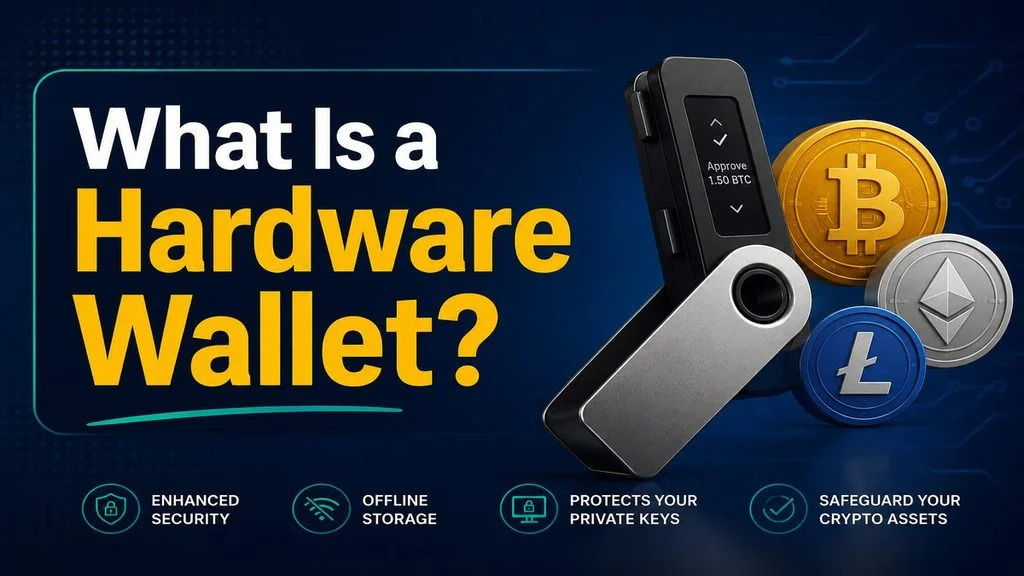
A hardware wallet is a small physical device, usually about the size of a USB stick, built to store your crypto private keys completely offline.
It doesn’t hold your actual coins; no device does, since crypto lives on the blockchain, not inside a gadget. What it holds is the key that proves those coins are yours and lets you move them.
Think of it less like a wallet in the everyday sense and more like a vault for a single, irreplaceable document. The vault doesn’t contain your house; it just holds the one key that lets you in, and if that key gets copied or stolen, someone else can walk in and take everything.
Join UEEx
Experience the World’s Leading Digital Wealth Management Platform
How It Differs From a Hot Wallet (Software/Exchange Wallet)
A hot wallet is any wallet connected to the internet, a mobile app, a browser extension, or the balance shown on an exchange account.
It’s convenient because it’s always online and ready to trade, but that same connection is what makes it a target. Malware, phishing pages, and compromised apps can all reach a hot wallet because it’s reachable in the first place.
A hardware wallet flips that. The private key is generated and stored inside a secure chip on the device itself, and it never touches the internet, even when you’re using the device to send a transaction.
Your computer or phone only sees a transaction request and a signature that comes back, never the key itself. That’s the core difference: a hot wallet trades some security for convenience, and a hardware wallet trades some convenience for security.
This is one of the oldest phrases in crypto, and it’s not just a slogan; it describes a legal and technical reality.
When you hold crypto on an exchange, what you actually have is a claim against that company, similar to an IOU. As long as the company is solvent and functioning, that claim is usually as good as owning the crypto directly.
The problem shows up the moment the company can’t meet its obligations. In a bankruptcy, exchange customers are typically treated as unsecured creditors, meaning they’re near the back of the line for repayment, behind secured creditors.
Self-custody through a hardware wallet removes that dependency entirely; there’s no company standing between you and your funds.
Choosing the Right Hardware Wallet in 2026
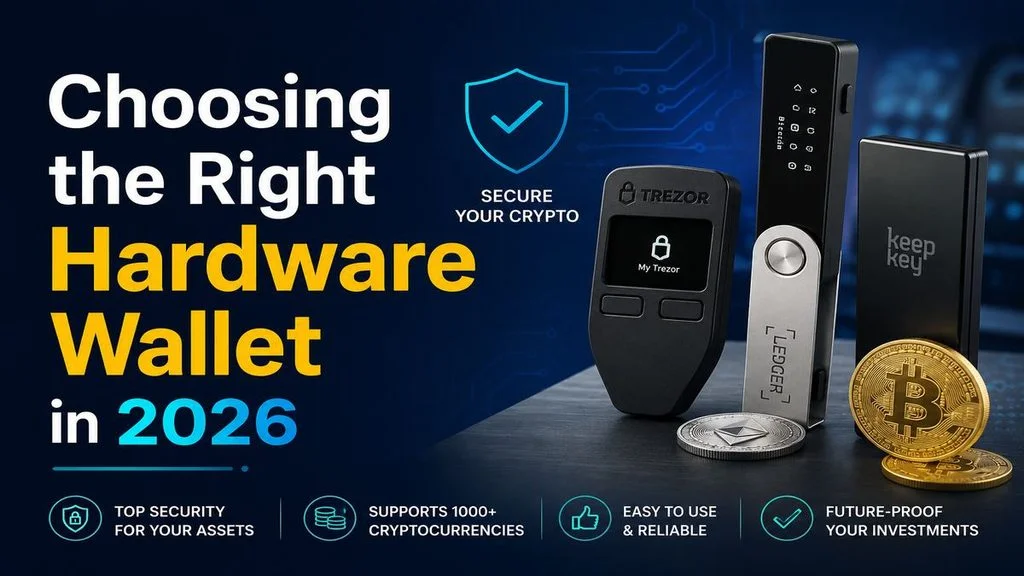
There’s no single “best” hardware wallet; the right pick depends on how you plan to use it, which coins you hold, and how much you’re willing to spend. Here’s a practical breakdown of factors that actually matter when comparing them.
Leading Devices Compared
Trezor Safe 7: Dual-chip, open-source, quantum-ready flagship with a Bluetooth kill switch and Shamir backup. Priced around €249, it’s the top of Trezor’s lineup.
Ledger Flex:Mid-tier touchscreen device with Bluetooth/NFC support and 5,500+ assets, but closed-source firmware. Priced at $249, between the Nano X and Stax.
Tangem: Screenless NFC cards that back up via cloning instead of a seed phrase. A two-card set costs around $55, making it the cheapest entry point.
OneKey Pro: Most feature-dense option, with 4x EAL6+ chips, air-gapped signing, and SignGuard scam detection. Fully open-source, priced at $278.
3.5″ touchscreen, Bluetooth, fingerprint, QR air-gap
4x EAL6+ (open-source), SignGuard scam detection
Seed phrase
30,000+ assets, 100+ chains
Active DeFi users wanting maximum security features
Key buying Factor
Beyond the device itself, a few practical factors decide whether a hardware wallet actually fits how you use crypto. Here’s what to weigh before you buy.
Seed phrase vs. card-based backup.
Most wallets use a written seed phrase, while Tangem clones the key across cards instead. Losing all cards without a backup means no recovery.
Bluetooth/phone-only vs. computer-required setup.
Ledger Flex, Trezor Safe 7, and Tangem work mainly via phone. Wired devices still work but need a USB connection each time.
Coin and token support.
Support ranges from 5,500+ (Ledger Flex) to 30,000+ assets (OneKey). Always confirm your specific coins are covered before buying.
Screen size, secure chip, and open-source firmware.
Bigger screens make transactions easier to verify. Trezor and OneKey are open-source; Ledger’s firmware isn’t.
Price range overview.
Entry-level runs $55–$79, mid-range $129–$169, premium $249–$278. Ledger Stax tops out near $399.
Factor
What to Check
Backup method
Written seed phrase (portable, external recovery) vs. card-based cloning (seedless, no paper to lose)
Setup style
Phone-only via Bluetooth/NFC vs. computer-required via USB
Coin/token support
Confirm your specific assets are supported before buying; ranges from 5,500 to 30,000+ across devices.
Most hardware wallet losses don’t come from a flaw in the device; they come from a handful of avoidable habits. Here’s what trips people up most often.
Storing the Seed Phrase Digitally (Cloud, Photos, Notes Apps)
A photo, screenshot, or notes app entry can sync to the cloud, get backed up automatically, or sit exposed if the device is ever compromised. Once your seed phrase exists digitally anywhere, it’s only as safe as every account and app connected to that device.
Entering the Seed Phrase Into a Website or App
Your seed phrase should only ever be entered on the hardware wallet’s own screen, never typed into a browser, an app, or a “wallet verification” form. If you’ve typed it anywhere else, even once, treat that wallet as compromised and move your funds right away.
Skipping the Backup Verification Step
Writing down a seed phrase means nothing if you never confirm it’s correct. Test the recovery process, wipe and restore the device, or restore on a second device before you move any significant funds onto it.
How to Set Up a Hardware Wallet
Join UEEx
Experience the World’s Leading Digital Wealth Management Platform
Setting up a hardware wallet is straightforward once you know what to expect at each step. Here’s exactly what to do, from the moment you buy the device to your first real transaction.
Buy from the manufacturer or an authorized reseller.
Never buy a used device or one from a third-party marketplace. Go straight to the manufacturer’s official site: ledger.com, trezor.io, onekey. or tangem.com, or a reseller listed as authorized on that site.
Check the packaging for an intact tamper-evident seal.
Compare the seal on your box to the manufacturer’s official images before opening it. If anything looks resealed, mismatched, or already tampered with, stop and contact the manufacturer directly instead of proceeding.
Connect the device.
Plug it in via USB, or pair it over Bluetooth or NFC depending on the model. Ledger Flex and Trezor Safe 7 support both wired and wireless connections, while Tangem connects only via NFC tap.
Download the official companion app.
Get Ledger Live only from ledger.com/ledger-live, Trezor Suite only from trezor.io/start, and the OneKey or Tangem apps only from their official sites or your phone’s official app store.
This step matters more than people expect: a fake Ledger Live app sat on the Apple App Store for about a week in April 2026 and drained $9.5 million from more than 50 victims before it was removed. Always double-check the publisher name in your app store listing before installing.
Select “Create New Wallet.”
Never choose “Restore Wallet” using a phrase or PIN that came with the device; a genuine hardware wallet is always blank when it arrives, with no seed phrase or PIN pre-set by anyone.
Set your PIN.
Pick something only you’d know; avoid birthdays, repeated digits (1111), or sequences (1234). Most devices let you set 4–8 digits, and some randomize the keypad layout on-screen to block anyone watching over your shoulder.
Write down your seed phrase.
Copy it exactly as shown on the device screen, in order, by hand, onto paper or a metal backup plate. Never photograph it, screenshot it, type it into a computer, or save it in any app or cloud service.
Confirm the seed phrase on-device when prompted.
Most wallets ask you to re-enter a few random words from the phrase to confirm you copied it correctly. This step catches transcription errors while you still have a chance to fix them.
Store your backup somewhere safe and separate from the device.
Keep the seed phrase and the device itself in different locations, a fire-resistant safe, a safe-deposit box, or a metal backup kept separately from where you keep the wallet day to day.
Send a small test transaction first.
Before moving your full balance, send a small amount to your new wallet address and confirm it arrives. Always verify the receiving address on the device’s own screen, not just on your computer or phone, before confirming any transaction.
Join UEEx
Experience the World’s Leading Digital Wealth Management Platform
Buying and setting up the device correctly is only half the job. What you do after setup determines whether that security actually holds up over time.
Keeping Firmware and Companion Apps Updated
Firmware updates aren’t optional maintenance; they’re a core part of how self-custody stays secure, since an outdated device accumulates unpatched vulnerabilities over time. Only ever update through the official companion app or manufacturer site, never through a link in an email or a pop-up.
Enabling Two-Factor Authentication Where Available
2FA adds a critical extra layer of security for any wallet or exchange account with online access. While the hardware wallet itself doesn’t use 2FA the way an exchange account does, any linked accounts, the companion app, your email, or an exchange you move funds through should have it turned on, ideally using an authenticator app rather than SMS.
Using a Dedicated, Malware-Free Computer or Phone
Where possible, use a computer or phone that isn’t loaded with random downloads, browser extensions, or pirated software to manage your wallet. Keep the operating system and antivirus software updated.
Avoiding Public Wi-Fi for Wallet Management
Public Wi-Fi networks make it easier for an attacker on the same network to intercept traffic or redirect you to a fake version of your wallet’s website. Stick to a trusted home network or mobile data when checking balances or sending transactions.
Why No Legitimate Company Ever Asks for Your Seed Phrase
No wallet manufacturer, support agent, or update process will ever ask for your seed phrase. If you’ve entered it anywhere outside your device’s own screen- a website, an app, a form- treat that wallet as compromised and move funds to a new one immediately.
A hardware wallet doesn’t do anything magical; it just removes the single point of failure that’s taken down exchange after exchange over the years. Once your keys are offline and only you can access them, no company’s bankruptcy, hack, or bad decision can touch your funds.
Getting there safely comes down to a short list of things done in order; that’s the entire value of self-custody, and it’s worth the small amount of friction it adds to your day-to-day crypto use.
Once your hardware wallet is set up and your backup is verified, you’ve done the one thing that actually protects your crypto long-term, not from market swings, but from losing it to someone else’s mistake.
FAQs
Can I use a hardware wallet on my phone only?
Yes, for models with Bluetooth or NFC support, Ledger Flex, Trezor Safe 7, and Tangem all work through a companion phone app without needing a computer.
What happens if I lose my hardware wallet?
Your funds are still safe, since they live on the blockchain, not the device. As long as you have your seed phrase backup, you can restore full access on a new device.
Can two people access the same hardware wallet?
Yes, if they both know the PIN or have a copy of the seed phrase, but this also means either person can move funds independently. For shared access, some prefer multi-signature setups where more than one approval is required per transaction.
How often should I update firmware?
Update whenever a new release is available, especially if the notes mention security fixes; most manufacturers ship updates every few weeks to a few months. Always update through the official companion app, never through a link sent to you directly.
Is a hardware wallet enough, or do I still need a software wallet?
A hardware wallet covers long-term storage, but many people also keep a small software wallet for everyday spending or quick transactions. A common setup pairs both: a hardware wallet for savings, a software wallet for active use.
Hello, welcome to my Profile. I am a passionate content writer, copywriter and fiction writer. I have a zeal to always deliver engaging and high quality content. I’ve perfected the art of blending imaginative thoughts with relatable themes crafting stories that captivates and connects with various audiences.
Disclaimer: This article is intended solely for informational purposes and should not be considered trading or investment advice. Nothing herein should be construed as financial, legal, or tax advice. Trading or investing in cryptocurrencies carries a considerable risk of financial loss. Always conduct due diligence before making any trading or investment decisions.
Trade with proof of Reserves
UEEx publish monthly audits and third party verification on every listed market.