In the high-stakes arena of digital assets, the difference between a crypto millionaire and a zeroed wallet usually boils down to three seconds of poor judgment.
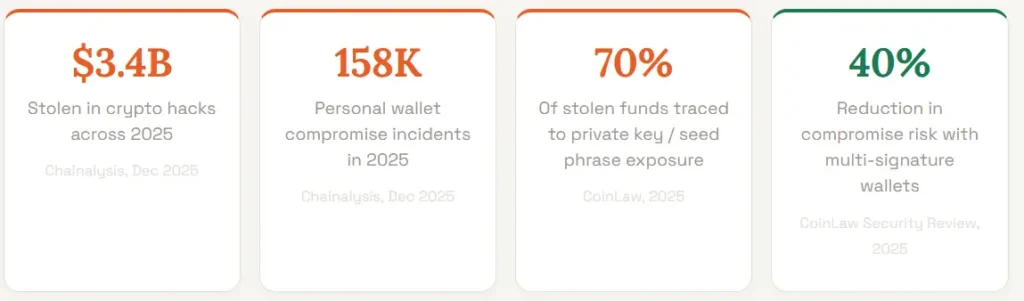
With hackers siphoning a record $3.4 billion in 2025, largely through preventable private key leaks your security isn’t just a technical setting; it’s your primary defensive line.
To outsmart the 158,000 compromise incidents reported last year, you must implement the ABC Strategy: Armor your entry points, Banish avoidable oversights, and Custody your seed phrases like a sovereign bank.
How to secure your crypto wallet isn’t about complex code; it’s about shifting from the vulnerable 70% into the protected minority.
Read Also: Cryptocurrency Hedging Techniques, Bitcoin Halving: A Complete Guide for Crypto Investor.
Why Is Crypto Wallet Security More Critical Than Ever
Crypto wallet security has never been more urgent. Unlike a hacked bank account, where your funds are typically insured and recoverable, a compromised crypto wallet delivers a permanent and irreversible loss.
There is no fraud department to call, no charge-back mechanism, and no central authority that can freeze the thief’s wallet. Once your funds leave your wallet to an attacker’s address, they are gone.
The 2025 threat landscape confirms this. The single largest hack of the year, the February breach of the Bybit exchange, saw the Lazarus Group steal $1.46 billion in Ethereum, the biggest single crypto theft in history.
While that was an institutional attack, individual users face an equally relentless wave of phishing, SIM-swapping, and fake wallet applications.
In H1 2025 alone, phishing and social engineering accounted for $594 million in stolen assets.
Top 10 Tips on How to Secure Your Crypto Wallet Right Now
Here are the ten most important actions you can take, ranked by the scale of threat they address.
Implement them in order and you will have dramatically reduced your attack surface before you finish reading.
1. Use a Hardware Wallet for Any Significant Holdings
Critical Priority
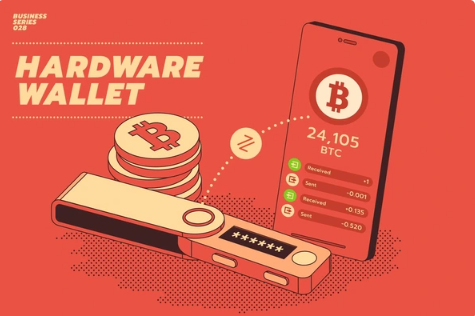
A hardware wallet, stores your private keys completely offline on a dedicated piece of hardware.
This means that even if your computer or smartphone is fully compromised by malware, your crypto remains safe because the signing of transactions happens on the device itself and never exposes your keys to the internet.
Research shows that wallets with hardware key storage and air-gap signing had incident rates under 5% in 2025, versus over 15% for software-only models.
If you hold more than a few hundred pounds in digital assets, a hardware wallet is not optional, it is essential.
2. Store Your Seed Phrase Offline and Never Digitally
Critical Priority
Your seed phrase is a series of 12 to 24 words generated when you set up your wallet. It is the master key to every asset it controls.
Approximately 70% of stolen funds in recent years were traced back to seed phrase exposure.
Write your seed phrase on paper or engrave it on a steel backup plate, and store it in a physically secure location such as a fireproof safe.
Never photograph it, type it into any app, store it in cloud services like Google Drive or iCloud, or share it with anyone for any reason. No legitimate platform will ever ask for it.
3. Enable Two-Factor Authentication — But Not Via SMS
Critical Priority
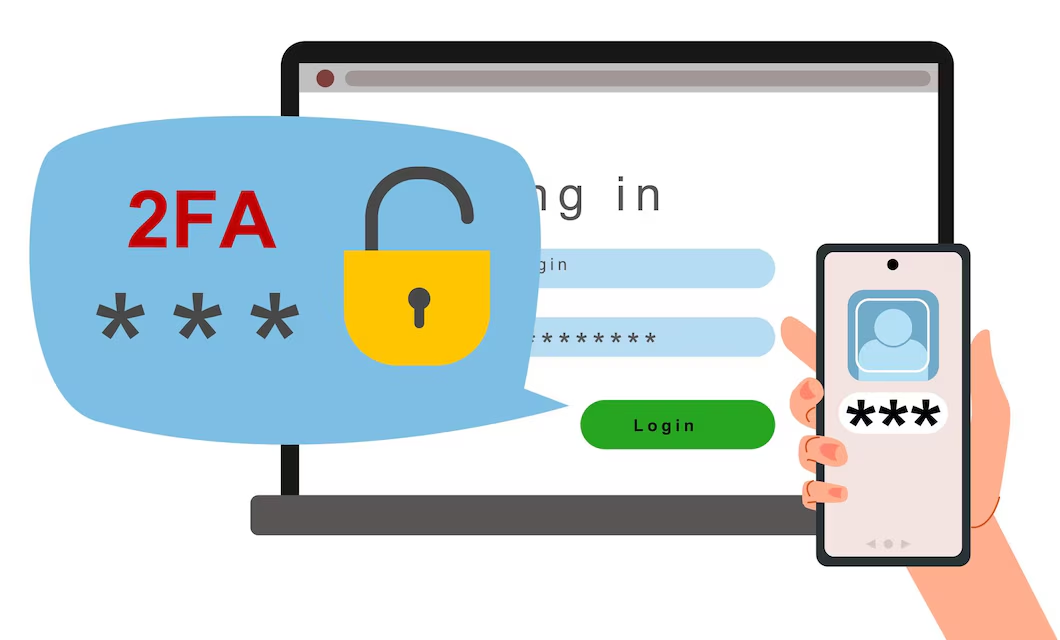
Two-factor authentication (2FA) adds a crucial second layer of protection to your exchange accounts and any custodial wallets.
However, SMS-based 2FA is vulnerable to SIM-swapping attacks, where criminals convince your mobile carrier to transfer your phone number to a SIM they control.
SIM-swapping caused over $150 million in losses in 2025 alone.
Use an authenticator application such as Google Authenticator, Authy, or a hardware key like a YubiKey instead.
Outdated 2FA systems led to a 32% rise in account takeovers in 2025, making this upgrade non-negotiable. You can read more about safe account practices in our Crypto Wallets Guide.
Here’s a general guide on how to enable 2FA on your crypto wallet:
- Download and install a reputable authenticator app like Google Authenticator or Authy on your mobile device.
- Log in to your crypto wallet account and navigate to the security settings. Look for the option to enable two-factor authentication and select it.
- Follow the instructions to scan the QR code displayed on the screen using your authenticator app.
- Once scanned, the app will generate a unique code. Enter this code into the designated field on the wallet platform to verify the setup.
- Some platforms provide backup codes in case you lose access to your authenticator app. Make sure to save these codes in a secure location.
4.Use a Dedicated, Unique Password for Every Crypto Account
Critical Priority
Weak or reused passwords were involved in a significant share of the 29% of centralised exchange breaches attributed to unauthorised account access in 2025.
Use a password manager to generate and store long, random, unique passwords for every crypto exchange, wallet application, and email account linked to your crypto activity.
Your email account deserves particular attention: if a hacker controls your email, they can reset passwords across most platforms linked to it.
Treat your crypto email address as a separate, dedicated account not used for anything else.
Here are some tips for creating a secure password:
- Your password should be at least 12 characters long, including uppercase and lowercase letters, numbers, and special characters. Complexity makes it harder for attackers to crack.
- Don’t use easily guessed information such as your name, birthdate, or common words.
- Consider using a password manager to generate and store strong passwords for each account, enhancing security.
- Regularly update your passwords every three to six months to protect your wallet from potential compromise.
- Don’t reuse passwords. If one account is compromised, others with the same password are also at risk.
- Never share your passwords with anyone, including those claiming to be from customer support. Legitimate companies never ask for your password.
5. Verify Every Wallet Address Before Confirming a Transaction
Critical Priority
Address poisoning attacks and clipboard hijacking malware replace the wallet address you have copied with an attacker’s address the moment you paste it.
These attacks are silent, automatic, and devastatingly effective. Always verify the full wallet address character by character or at minimum the first six and last six characters before hitting confirm.
For high-value transactions, type the address manually or scan a verified QR code from a trusted source.
Blockchain transactions are final and irreversible once confirmed, so there is no recovery mechanism if you send to the wrong address.
6. Recognise and Resist Phishing Attacks Across Every Channel
High Priority
Phishing was the leading attack vector by count in H1 2025, responsible for 48% of exchange-platform breaches.
Attackers impersonate exchanges, wallet providers, support teams, and even crypto influencers via email, SMS, social media, and fake websites with URLs that differ from legitimate sites by a single character. Bookmark the official URLs of every platform you use.
Never click links in unsolicited messages. Never enter your seed phrase, private key, or login credentials on any page reached through a link rather than your bookmark.
If something creates urgency, your account will be locked in 24 hours, treat it as a red flag, not a reason to act fast.
7. Keep All Wallet Software and Device Operating Systems Updated
High Priority
Zero-day exploits were used in 19% of major 2025 crypto attacks, targeting vulnerabilities in wallet applications, browser extensions, and operating systems before developers could issue patches.
A research review in 2025 found that approximately 90% of widely used browser extension wallets had at least one exploitable security vulnerability.
Enabling automatic updates for your wallet apps, device OS, and browser ensures you receive security patches as quickly as possible after they are released.
This is one of the lowest-effort, highest-impact security habits you can build.
8. Only Download Wallets and Apps From Official Sources
High Priority
Fake wallet applications have proliferated dramatically in 2025, often imitating popular wallets such as MetaMask, Trust Wallet, and Phantom to capture user credentials and private keys the moment they are entered.
These fraudulent apps appear in unofficial app repositories, dodgy browser extension stores, and sometimes even slip through official app store review processes.
Always download wallet software directly from the official project website. Verify the developer name and review count in any app store before installing.
When in doubt, find the app link from the project’s verified social media profile rather than from search results.
9. Consider a Multi-Signature Wallet for Business or Large Holdings
Recommended for Businesses
A multi-signature (multisig) wallet requires multiple private key approvals before any transaction can be authorised, for example, two out of three designated keys must sign.
Research confirms that wallets with multisig support reduce key-compromise risk by more than 40% compared to single-key wallets.
For businesses accepting crypto payments or holding significant treasury balances, multisig is the institutional standard.
It eliminates the single point of failure that makes standard wallets vulnerable to a single compromised device or team member.
10. Separate Your Wallets by Purpose and Risk Level
Using a single wallet for everything receiving payments, DeFi interactions, NFT minting, and long-term storage concentrates your entire crypto net worth into one target.
Security professionals recommend a tiered architecture: a cold wallet (hardware device) for long-term savings you rarely touch, a separate hot wallet for frequent transactions and DeFi activity with only what you need for near-term use, and a dedicated wallet for interacting with new or unaudited protocols.
This way, if a hot wallet is compromised through a malicious contract interaction, your savings wallet is completely unaffected.
What Is the Difference Between a Hot Wallet and a Cold Wallet?
Knowing the fundamental architecture of wallet types is the foundation of any sensible security strategy.
Most people start with a hot wallet and never move beyond it, which is exactly what attackers count on.
For further reading, read also: Hot wallet vs cold wallet
Frequently Asked Questions
Is Using Public Wi-Fi to Access Crypto Accounts Really That Risky?
Yes. Public Wi-Fi networks in airports, cafes, and hotels can be monitored by others on the same network, and attackers frequently create convincing fake hotspots with names like Airport_Free_WiFi designed to intercept traffic.
How do I know if my crypto wallet has already been compromised?
Signs of compromise include unexpected outgoing transactions you did not authorise, login alerts from unrecognised devices or locations, inability to access your account despite using the correct password, and disappearing balances.
What is a SIM-swap attack and how do I protect myself?
A SIM-swap attack involves a criminal convincing your mobile carrier to transfer your phone number to a SIM card they control.
Once they have your number, they can intercept SMS-based 2FA codes and reset passwords linked to your mobile number.
Conclusion
While the masses wait for the next unbreakable security patch, the elite know that, how to secure your crypto wallet is a battle won in the mind long before it reaches the blockchain.
By executing the ABC Strategy, Armoring your entry points, Banishing human oversights, and Custodying your seed phrases like a sovereign bank, you effectively ghost the hackers who siphoned $3.4 billion last year.